

2.11.0
This guide shows you how to secure your FastMCP server using WorkOS’s AuthKit, a complete authentication and user management solution. This integration uses the Remote OAuth pattern, where AuthKit handles user login and your FastMCP server validates the tokens.
Configuration
Prerequisites
Before you begin, you will need:- A WorkOS Account and a new Project.
- An AuthKit instance configured within your WorkOS project.
- Your FastMCP server’s URL (can be localhost for development, e.g.,
http://localhost:8000).
Step 1: AuthKit Configuration
In your WorkOS Dashboard, enable AuthKit and configure the following settings:1
Enable Dynamic Client Registration
Go to Applications → Configuration and enable Dynamic Client Registration. This allows MCP clients register with your application automatically.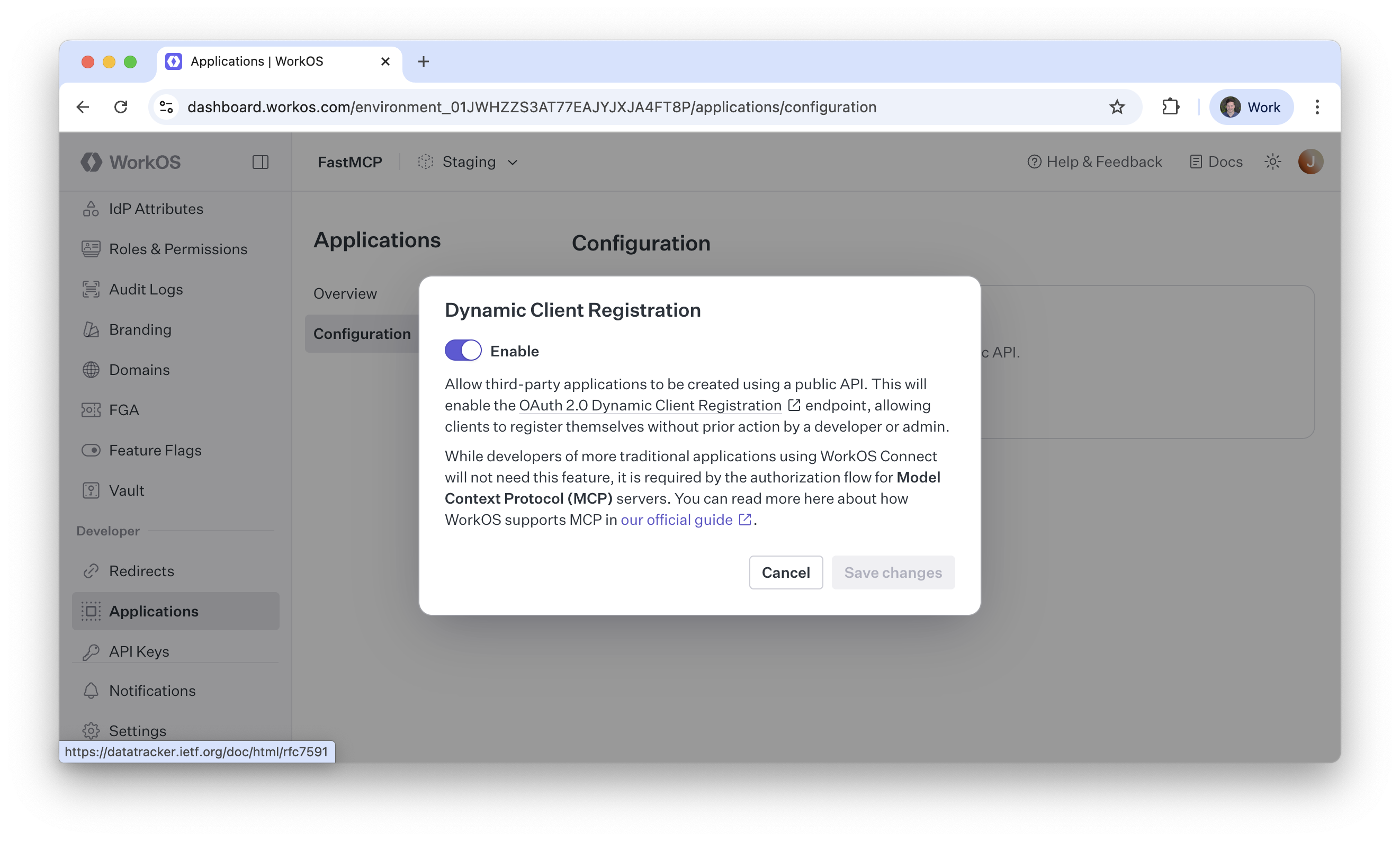
2
Note Your AuthKit Domain
Find your AuthKit Domain on the configuration page. It will look like
https://your-project-12345.authkit.app. You’ll need this for your FastMCP server configuration.Step 2: FastMCP Configuration
Create your FastMCP server file and use theAuthKitProvider to handle all the OAuth integration automatically:
server.py
Testing
To test your server, you can use thefastmcp CLI to run it locally. Assuming you’ve saved the above code to server.py (after replacing the authkit_domain and base_url with your actual values!), you can run the following command:
Production Configuration
For production deployments, load sensitive configuration from environment variables:server.py